
ColorBlender

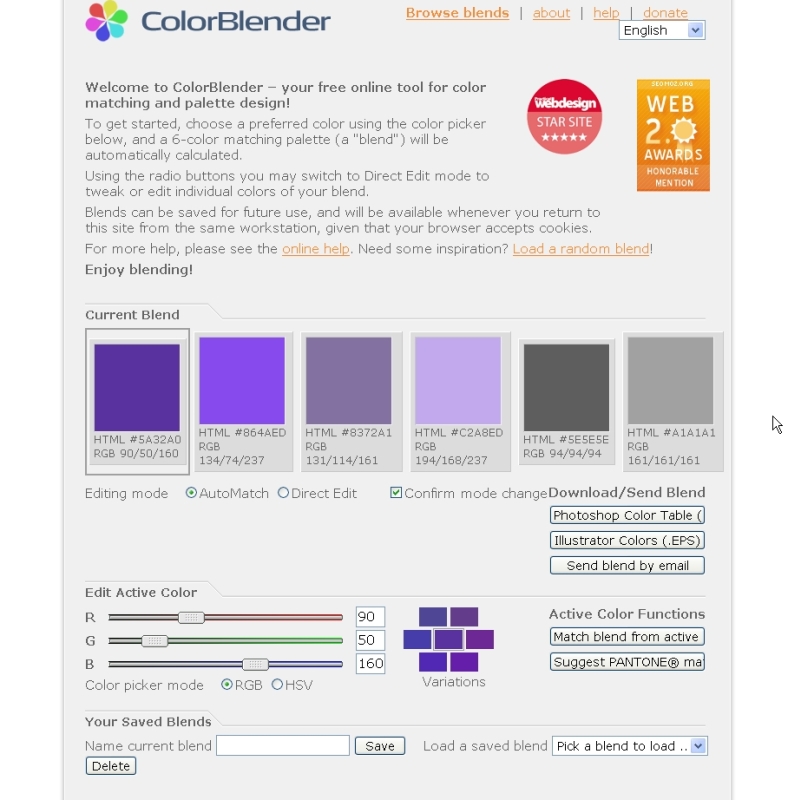 No this is not another version of our beloved Blender, it is however a great tool for the color challenged. Though I’m not so bad as to mix plaids and stripes, I do not have a formal art education and I am a bit color challenged (just ask my teenage daughter). If you’re looking to find complementary colors for your primary color or create a nice palate to work from, the ColorBlender tool will be a tremendous help to you.
With ColorBlender you can choose to make your own palate selection of colors by either moving the RGB/HSV sliders or entering the values. You can also pick from hundreds of choices that have been submitted by other users. and If you do create your own palate, you can save it for future use and email right from the site should you need to send it to someone.
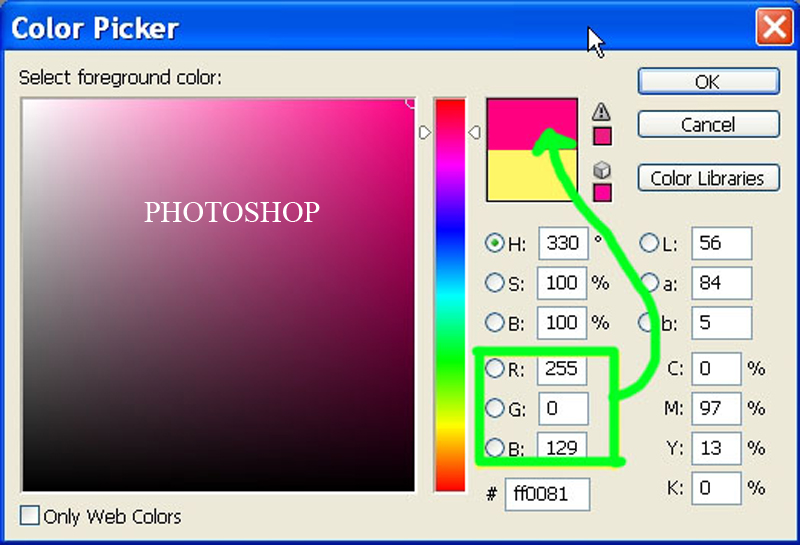
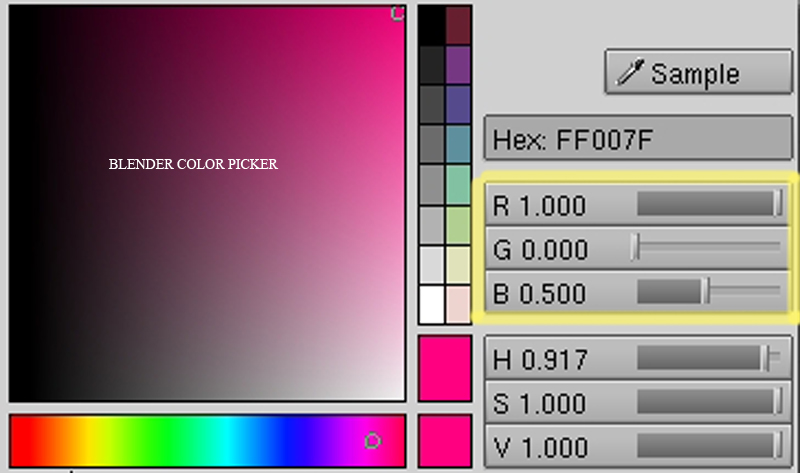
And on your palate travels you might start trying to figure out why there is sometimes a difference in RGB values, for example between Photoshop and Blender. Here’s what I learned from http://www.dmu.com/bbgtut/bbg34.html. Note – this seems to be Blender related tutorial game making site that I found VIA Google. I could not find the name of the author of it but you Blender Gamers might want to check it out:
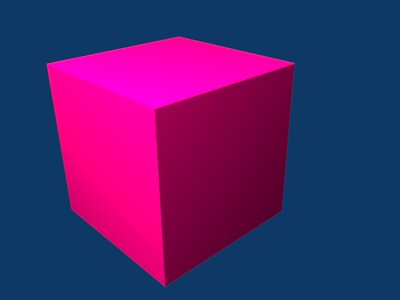
Why use a decimal rather then the more traditional 0->255? Using 0->255 or the RGB values only allows 256 different values. Using a decimal allows for an almost infinite number of possibilities i.e.: 0.5, 0.55, 0.5498734Hot Pink = 255, 0, 128
To convert from 0 to 255 RGB values to 0 ->1 RGB values divide by 256
R = 255 / 256 = 1, G = 0/256 = 0, B = 128/256 = 0.5

Wow… this is a really cool tool, and surpringly fast.
In fact, I had *almost* bought a license for a Mac App that does this. Another $25 saved ;-)
Thanks!
here’s another one fromm Adobe:
http://kuler.adobe.com/
Shouldn’t you divide by 255 instead of 256?
@CubOfJudahsLion: Nope, 0 to 255 is 256 discrete values. 0 is a value, after all.
The only thing I don’t get is that the article states that a decimal gives you more precise color values. But won’t your video card round that to the nearest value anyway? SO if say you have Red 127.562 it would display it as Red 128? Anyway, It’s such a small change that I doubt it’s even noticeable….
“Colours on The Web” is my personal color-picking helper of choice. Also includes a color roulette!
http://www.webwhirlers.com/colors/default.asp
(might be a double post, but that first URL is old)
“Colours on The Web†is my personal color-picking helper of choice. Also includes a color roulette!
http://www.colorsontheweb.com
take a system color set and johann ittens color boock and just do it.
than you will not need those tools. what you cannot do on your own
you do not understand. thus a program cannot do the job for you.
Thats Intersting. I myself am a little color chalenged, Tim
in theory: if a value is stored as decimal, it could make a difference in precision when it is viewed in colorspaces with different precisions. For example, I seem to remember for textures in opengl, you can use different texture formats, which have different precision for each channel, eg RGB565 or RGB8.
Since for most painting you work in a colorspace with 8 bits in each channel (eg the gimp), there are only 128 shades in each channel.
I also think it is a bit weird to divide by 256 when including 0 (which means you actually have 257 values, which is not true). when having 256 shades, there is no “mid color”. 127 and 128 are closest to the middle, but are not _at_ it.
but now ON topic :)
thanks for the tool!
I wander how hard it would be to turn this into a python script to use inside Blender…
128 isn’t in the middle, it’s exactly half. Half the amount of color in that slider.
Great find!
When did the popup thing when click on images happen?
I like the one from adobe, Kuler. http://kuler.adobe.com/
255 / 256 = 0.99609375
Well, like others mentioned before, the math at the end of the article (and in the linked page) is wrong. In order to map the range 0..255 to 0..1 you have to divide by 255, not 256. The number of discrete values in the range does not matter for this calculation, only the maximum value!
Agave is a nice one for GNOME: http://home.gna.org/colorscheme/
It’s available in Ubuntu’s Universe repository.
I passed this one to my wife who loves to play with colors :)
Hi!
For color conversion, I have found this HTML converter :
http://www.thoro.de/portfolio/verschiedenes/rgb_babelfish.html
It is a very simple and handy tool. I use it often.
Philippe.
Thanks for this nice tool. I tried to share three links to other color tools yesterday, but my post appearantly got eaten by spam protection. ;)
So here they are for those who find them interesting, sorry for making three posts in a row.
http://meyerweb.com/eric/tools/color-blend/
This is the second link I want to share:
http://www.easyrgb.com/
A nice tool that should be included in Blender also :)
Ok, I understand what people are saying now. You’re right, 255 is the maximum value, so 0/255 would still be 0, and 255/255 would be 1.
Is there way to det adob’es to run on an older version of flash?
Anyway, dividing by 255 or by 256 is hardly going to make any noticeable difference. Try this test: In photoshop make a background 128/128/128, then make a text layer with the color 129/129/129, and try to distinguish the text. It’s nearly impossible to see anything at all but a pure gray canvas. Then try printing it out. I bet you just get a gray square. SO, this nitpicking about whether to divide by 255 or by 256 really shouldn’t make much difference. Perhaps mathematically it’s different, but not visually.
Lot’s of great Color links. Philippe, I had wanted to post that link as well but lost my bookmark for it.
Thanks to all for posting.
Tim
Awesome! Thanks for all the links and ColorBlender looks to be an AWESOME tool.
http://minosafilms.wordpress.com/