
Videotutorial: A Christmas Tree

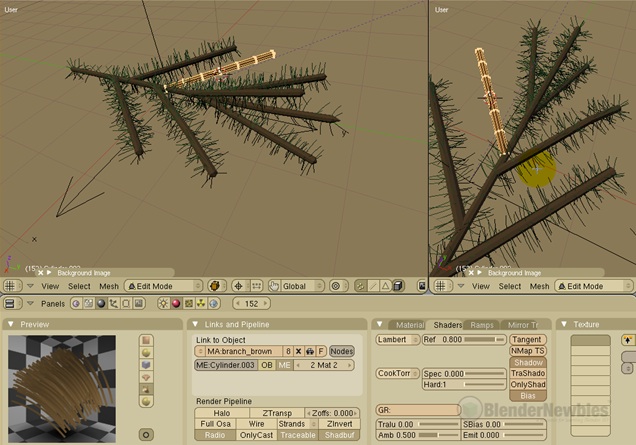 Kernon Dillon is working on a six-part video-tutorial on making your own lighted christmas tree WITH gift boxes!
Updated december 27th: parts 3 and 4 added.
Kernon writes:In the real world, setting up a Christmas tree is a very personal endeavor. I wanted to try and recreate that by not providing a step-by-step tutorial on exactly how to do it but, instead, simply show you ways to create the different parts that make up the tree. Part 6 will show how you can take the examples in parts 1 thru 5 and create a nice little Christmas tree of your own.
My ideas are based on an artificial Christmas tree, the kind that you would buy at the store and have to piece together on your own.
The commentary in these tutorials is minimized because my goal is to present something that will, hopefully, spark ideas of your own.
The following are available at the moment:
- Part 1 – The Floor and Mat
- Part 2 – The Branches
- Part 3 – Lights and Garland
- Part 4 – Basic Ornament and Star
If you haven’t noticed before, Kernon is quietly building a huge collection of video tutorials on his website. I think he’s really got his format and technique worked out nicely and I rank his tutorials among the most professional ones you’ll find in the Blender community.
Enjoy, and Merry Christmas everyone!




Neat.
anyone else getting an insane slow load of the page? I have a decent connection
Otherwise, looking forward to (eventually) seeing the vid ;)
No problems on the blogsite page loading. Are you referring to the actual video? If so, the first 10% is buffered before the video begins playing.
Merry Christmas and abraços from Brazil!
Nice tutorials, thanks.
Happy Christmas Everybody !
Can’t wait to start it.
Nice!
I want that blender theme :-D
Thanks!
The theme used is called “kahvi” (by basse). You can find it here:
http://www.frontiernet.net/%7Ekrich/themes/
Hip !
regarding Part I, I don’t have the “SoftBody II” panel on my Blender ! :/
I’m using Blender 2.42 OS.X Intel
Any reason I don’t have this panel ?
In fact I don’t experience any softbody on the objects :(
thanks
! qiH
Excellent tutorial. I would recommend only one thing. Get a De Esser for your microphone (one of those round thin screens placed between you and the mic.) It softens the consonants, so they don’t POP when spoken. (B and P are the worst). You can do it in post, but getting right before it’s recorded is still the best.
Anyway, thanks for the tutorials.
@jcarney
Good suggestion! I’ll look into it.
hello there
about the SoftBody II†panel…
I didn’t have it under Blender 2.42a too
but i have it under Blender 2.43 RC1 now!
any clue?
It was in there. It’s just very easy to not find it because it’s waaay over to the right (probably off-screen, unless you have a widescreen monitor). I’ve found that it’s best to drag-drop the panels onto other panels to create multi-tabbed panels. That way, you can always have everything within view.
is it possible to download them?
yes, you can download them from here:
http://blendernewbies.blogspot.com/search/label/Christmas%20Tree
I have the same problem, with the softpanel II, I don’t see it anywhere, I’ve even changed the panel views, it just doesn’t seem to be there, I have blender 2.49, anyway you can think of to fix this?