

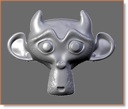
 Jeffrey McGrew has written a nice short tutorial on using the sculpt mode that is in Blender CVS.
This is what five minutes of playing around with the Blender Monkey resulted in. I thought I'd take a moment and write up a quick tutorial to how to get the new Sculpt mode to work so y'all can play with too (it's a lot of fun!).
See his blog post for further details.

22 Comments
Thats cool :)
i hope that one of blender artists can make a good video to demonstrate the new sculpt tool in action ( some thing like modo's video )
Hi there again Jeffrey, I just had sneak peak from our other discussion at silo's forums, great work!
great fun indeed, just downloaded the beta, cant wait for the release! It should be a great Christmas!
This does look very cool! Unfortunately I can't get the MultiRes thing to go up past 2 and he mentions starting at 5. My latest CVS build is from yesterday morning, so that may be the issue! time to build another copy form CVS! (Oh, and I'm using Linux if that matters!)
Nevermind. I'm a moron! You have to click the "Add Level" button -- not the little left and right arrows. Also, clicking on the Levels button and ENTERING a number with the keyboard doesn't work either. I've good now, thanks!
Wow this is a really nice feature. Can't wait to play with it properly. Blender just gets better every day!
that is awesome!
Now you have to add a tablet pressure support.
I thought it supported tablet pressure already ...
Tablet pressure works under Windows. Don't know about on other OS'es, but it's working for me. It wasn't a little while back, so I know it's something they are working on within the beta now...
Thanks everyone! Glad you liked the post.
grafixsuz, sorry man, you got me confused with someone else. I've never been on the Silo forums.
Pen tablet support should work on OS X, Windows XP (and possibly other windows versions), and Linux (and possibly other unix family oses).
The pen tablet support is fairly new, especially the support on Windows.
LetterRip
I gotta say, I think it's genius how the procedurals were incorporated with the brushes. Nicely done. ;)
Wow, this new feature rocks. Pressure works for me, and also, turn round your pen (eraser in Photoshop) becomes the opposite! ie: draw becomes erase/lower fantastic feature. Bit of a memory hog as some have said but it's defo one for under the blender users christmas tree!!
Whoa! had no idea about the eraser working the opposite. That rocks! Thanks for that tip!
Looks pretty good... But my model disappears when I paint textures and Blender has crashed 3 times during my 1 hour test...
Unkelben,
turn down your graphics card acceleration - it is a buggy driver (what is your graphics card and driver version)?
Letterrip
Niiice,
One problem i've had with zbrush and such sculpting tools is that their usage of geometry is well less than optimal, for example when i start to sculpt a face from a sphere i need 6-7 subres levels in order to make out the proper detail on the front of the face, however on the back i have one gazillion faces just sitting there doing nothing but looking smooth.
I wonder if there is a good way to add edge loops to the sculpting in a manner that you'd only need to add detail to the areas that are actually required.
gotta test this
yeah so how do I get to the tutorial?
hey ppl, ive been playing around with this tool, its a great way to do organic modeling, im planning on making a demo vid for, ill post a link here when i do
only one word. thank you blender!!!!!!!!!!!!!!!!!!11
Thank you very much. It is very simple and nice tutorial.