
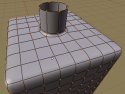
 It often happens that while modelling you forget about the final details of your model and you need to go back and add a hole to your mesh. There are many different approaches that can be used but which one is the best? This video tutorial featured on BlenderNewbies is one approach that works really well.
Here's a quick video showing how to cut a hole in your mesh. This technique is useful for creating very clean holes, without the mess that can sometimes result from using booleans.
Be sure to check out the other Beginner level tutorials and discussions at BlenderNewbies. You can read more about the Video Tutorial here and you can download the movie below (remember to right click Save As):

29 Comments
Cool, I'll check it out after work.
Hmmm... I don't know how to cut a hole but I do know about edgeloops and creasing catmull-clark Subsurfs?
Hi, that is very nice. Any tutorial on making bends in the tubes that come out? If I just extrude again and then rotate and reposition and scale I can just about make something that looks like a nice bend but I was wondering if there is a more foolproof way?
Crap, i need qt >_
Yeah, that's what I need at the moment. I will check it tonight :)
I don't seem to be able to play the qt vid. Anyone know why? I got Qt installed...
@andy
Do you have the latest QT installed? It should work with QT 7 and QT 7.1 (at least for me).
Hey!!! This is a surprise! Thanks for post about my little tutorial and website!
My main goal for the BlenderNewbies website is to provide learning materials that help new Blender users feel comfortable using the application. Initially, I was going to go through ALL of the basic stuff but, I realized that so much of that's been done already. So, the focused was switched to simply provide interesting tutorials and materials that even newbies can handle. That doesn't mean that everything is just for beginners. It just means that the presentation is done in a way that most beginners can, hopefully, handle.
There will be tutorials, tools, tips, quizzes, games, challenges, .blend files, links, etc.
So, whether you're a newbie or a pro, I hope to provide things that will be of interest to all. I've got more than a ton of ideas so, wish me good luck.
Thanks again, Daniel and BlenderNation!
Kernon
Hi, I would like to know if I can work with bezier, a vector programs, and export the lines to Blender 2.42, Can I do that? what would be the format to use?
Boolean edits do seem to be a pain. Maybe this will be better.
Joc wrote:
"Hi, that is very nice. Any tutorial on making bends in the tubes that come out? If I just extrude again and then rotate and reposition and scale I can just about make something that looks like a nice bend but I was wondering if there is a more foolproof way?"
I've created an IK to make tubes that need to bend. Once you position it you can just click the "make real" button or simply leave the whole setup. Comes in handy when you have a start and end point.
Joc: To bend the tube being extruded (ie: 90*) then select the top vertices of the circle and place your virtual cursor one grid unit to the left or right of the circle selection and then in the Edit Buttons select the Spin feature and set it to n number of transitions and then the degrees to bend. It'll ask what view to do it in and just click the cursor on the 3D window. The result should be a nice 90* bend after the original extrusion. :) Here's a tut on using Spin:
http://www.math.sunysb.edu/~sorin/online-docs/blender/html/x2339.html
the to sphere trick is handy to know or to be reminded that is is there, but there is no way i would subdivide as much unless i had to. If you need to perform this technique on a lower poly object, you wouldn't do this, you would extrude 0 units, then scale, subdivide the newly created face and then make the points you just created a sphere.
The sphere idea is very good and comes in very handy though, i just wouldn't go so overboard with the subdivides.
@compactdreams: yes, you can import vector files into Blender. You can use .ai, .eps, and .svg file formats. Here's a link to a tutorial that a fellow blenderhead has made:
http://www.blendernation.com/2006/09/13/2d-to-3d-adobe-illustratorblender-tutorial-series/
This isn't a good way of doing it, 75% of those faces do nothing but eat up RAM. Below is my suggestion to accomplish the same thing with fewer faces, still retaining all quads.
http://www.cmcpics.com/blogimages/holemesh.jpg
Sorry, hit submit too soon, wanted to say that I don't want to know the tutorial or the author, I respect the work and I've learned a lot from the posts on the blog.
-Seb
DAMMIT!!
"Don't want to know" is supposed to read "don't want to knock."
PROOFREAD YOUR POSTS PEOPLE!! Would hate for you to end up looking like me... :D
There's apparently not enough coffee in the world to wake me up today.
Thanks for the crits!
As far as the number of subdivisions go, you don't have to actually subdivide as many times as I did. I wasn't trying to make a low-poly model. On the same page, there's an image of a model that was created using this technique so, I guess I had that in mind when I made the tutorial.
The number of subdivisions you make will depend on what else you plan to do with the rest of the surface AND, how you want to be able to orient the hole afterwards.
There are, of course, many ways to do things.
Enjoy!
Thanks Daniel (Prince)
that was just what I was looking for.
Nice tutorial, because it showed some new tricks to me (like Make Sphere and Alt-RMB), but I fail to see the bigger picture: why is it so difficult to make a "hole" in a mesh! And is it frequently used by anyone? I can't see a need for making holes in my meshes all the time...
Needs for holes:
Windows
Door Handles
Lace eyelets on shoes
Screw Holes
Recessed buttons
Hope that helps. The thing is, techniques like this aren't a one-trick pony. This serves as a method for creating all sorts of dents and recesses right inside the mesh.
Easy, fast, a good tutorial for newbies!
Excellent work!
@eUGENE... THANKS... will give that a try. I have Quicktime 6.
you should optimally plan out your holes and loops before you model. Fixing things after the fact is almost always less than optimal. an ounce of planning is worth a ton of duct-tape. The method explained, however is a good one. One might also try the new retopo tool to lay out clean geometry over old models to get good deformations for animation. If you're rendering a still, however, or an object that does not deform, you can be quite a bit more lax about clean geometry.
joc. about the bends. model and extrusion straight out. then use a curve modifier to bend them. you could use b-bones or lattices as well. Curve modifiers, however, don't stretch unnatrually, so the "tentacle" keeps it's length.
@joc: about the bends. model and extrusion straight out. then use a curve modifier to bend them. you could use b-bones or lattices as well. Curve modifiers, however, don't stretch unnatrually, so the "tentacle" keeps it's length.
@sebastian: you're right about the faces in that particular case being wasteful. however i don't think that was the focus of his example. might it have been easier to use a plane? possably. But he suceeded in showing what he was trying to show. ... and i feel you about the coffee... same here. however. i think eyelets on shoes are better left to texture work unless it's a really really close shot of the shoe. same deal with scew holes and recessed buttons. nothing a normal map can't fix. (and now thank god ts normal mapping is in cvs)
What the pblm? Video tutorial for this kind of trick is really useless.
A simple text with screenshots is better explicit and fast.
1min58 to wait for a trick you can do/read in 15seconds, it's too bad.
Moreover as we can read, it causes some problem for playback.
Don't even talk about flash :).
cheers
Help my poor english pls:
Newbie means: someone who can't read? idiot/dumb/unsound/"limited mentally" or just beginner? :p
Sorry, but the first are my feeling when i see a blendier's tutorials, you take them too much for unsound kids.
Note: lol, soon with Verse you could move the newbies's mouse, cool what worse. :(
Don't get me wrong, you can do what you want, but it'd be cool to do it right :)
@Michael Crawford: Well said. Point is, holes are incredibly useful for a lot of different things, and knowing different techniques is great. My example is weak in that it falls apart when you try to make multiple holes like in the box/tube example. For that, I think the original method works better. Neither one works for everything.
@Omar:
...
regarding moving the newbie's mouse, I do have an application in development that will, in fact, do just that...actually control the user's running version of Blender, much like the tutorials found in Zbrush...
LINK UPDATE: http://blendernewbies.blogspot.com/2006/09/video-cutting-hole-in-your-mesh.html